
Download BuyLensAI – AI‑Powered Shopping Tracker, Wishlist & Price Monitor
Overview
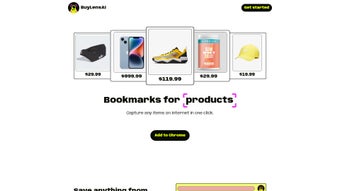
BuyLensAI is a cloud‑native, AI‑driven shopping assistant that transforms the chaotic process of online browsing into a streamlined, data‑rich experience. By leveraging a lightweight Chrome extension and a responsive web dashboard, the tool lets users capture product details with a single click, automatically organize items into customizable collections, and monitor price fluctuations over time. The platform is built around privacy‑first principles: the AI scanner activates only when you press the “Detect” button, ensuring no background data harvesting.
Once a product is saved, its title, price, image, and key specifications are stored securely in encrypted cloud storage, accessible from any device that runs a modern browser. Beyond simple bookmarking, BuyLensAI integrates expense tracking, visual spending analytics, and collaborative sharing features, making it an all‑in‑one solution for casual shoppers, deal hunters, and small teams managing shared wishlists. While the free tier limits you to 20 saved items, the premium subscription unlocks unlimited saves, advanced budgeting tools, and priority support.
In short, BuyLensAI delivers a fast, reliable, and secure way to capture, organize, and analyze online shopping data, helping you make smarter purchasing decisions while keeping your personal information safe.
Key Features, Installation & Compatibility
Getting started with BuyLensAI is effortless, and the feature set is designed to cater to every stage of the shopping journey. Begin by visiting the official website and clicking the “Download Chrome Extension” button. The Chrome Web Store opens automatically; simply press “Add to Chrome,” confirm the permissions, and the extension icon appears next to your address bar.
The extension’s UI is intentionally minimal: a single “Detect” button that, when pressed, triggers the AI model to scan the current page’s DOM. Within seconds, the tool extracts the product’s title, price, main image, and any highlighted specifications, presenting them in a concise preview. If the data looks correct, click “Save” and the item instantly populates your cloud‑based dashboard.
The dashboard, reachable via the “My Collections” link in the extension or by logging into the BuyLensAI portal, offers a rich set of organizational tools. Saved items can be grouped into custom folders such as “Holiday Gifts,” “Home Renovation,” or “Tech Wishlist.” Tags and notes can be added for quick reference, and bulk actions let you delete, share, or export multiple entries at once. The “Spending Overview” tab aggregates prices across all collections, applies optional currency conversion, and visualizes trends with line and pie charts, giving you instant insight into where your money is going.
Compatibility is a cornerstone of BuyLensAI’s design. The Chrome extension runs on Chrome 92+ for Windows 10/11, macOS 10.14+ (including Apple Silicon), and major Linux distributions that support Chrome or Chromium. Because the core service is web‑based, the dashboard works flawlessly on Safari, Firefox, Edge, and any modern browser that meets the minimum requirements:
- Processor: 1 GHz or faster (dual‑core recommended)
- Memory: 2 GB RAM (4 GB for optimal performance)
- Internet: Stable broadband connection (minimum 1 Mbps upload/download)
- Browser: Chrome 92+, Firefox 78+, Edge 90+, Safari 13+
- Screen Resolution: 1024 × 768 or higher for best dashboard layout
Mobile users on Android or iOS can still benefit from BuyLensAI by accessing the responsive web app; however, the one‑click detection button remains exclusive to desktop Chrome due to extension constraints. All data is stored in encrypted cloud storage, eliminating any local disk space concerns and ensuring that updates to the AI model and feature set are delivered automatically without user intervention.
- AI‑Driven Item Detection – Instantly recognize products on any webpage without manual copy‑pasting.
- One‑Click Save Button – Capture items with a single click from the Chrome extension toolbar.
- Unified Dashboard – Central hub for all saved items, organized by category, price, and date.
- Multi‑Category Support – Handles everything from consumer electronics and fashion to real‑estate listings.
- Budget Consolidation – Automatic aggregation of purchase costs for clear expense tracking.
- Spending Analytics – Visual charts that reveal where your money goes and suggest saving opportunities.
- Secure Sharing – Generate shareable collection links or invite friends to collaborate on wishlists.
- Privacy‑First Architecture – Scans only when you activate the detection button; no background data harvesting.
- Cross‑Device Sync – Access your saved items from any computer with the Chrome browser installed.
- Regular Updates – Frequent AI model refinements to improve detection accuracy across evolving website designs.
Pros, Cons & Frequently Asked Questions
Pros
- Highly accurate AI detection on mainstream e‑commerce sites.
- All‑in‑one dashboard eliminates the need for separate bookmarking tools.
- Robust budget tracking and visual analytics help control spending.
- Privacy‑first design; scanning occurs only when user initiates it.
- Cross‑platform sync ensures your collections are always up‑to‑date.
- Easy sharing of collections via links or collaborative folders.
- Regular feature updates keep the tool relevant as websites evolve.
Cons
- Extension currently limited to Chrome; no native support for Firefox or Edge.
- AI may mis‑detect items on heavily customized or exotic website layouts.
- Full feature set requires a paid subscription; free tier is limited to 20 saved items.
- Mobile experience lacks the one‑click detection button, relying on manual entry.
- Export options are limited to CSV; no direct integration with popular budgeting apps yet.
Overall, BuyLensAI delivers a compelling blend of AI convenience and financial insight that outweighs its minor shortcomings. The Chrome‑only limitation is mitigated by the responsive web dashboard, and the subscription cost is justified for frequent shoppers who value organized wishlists and expense visibility.
Frequently Asked Questions
Is BuyLensAI free to use?
BuyLensAI offers a free tier that lets you save up to 20 items and access basic budget tracking. For unlimited saves, advanced analytics, and team sharing, a monthly subscription is required.
Which browsers are supported?
The AI detection extension works on Google Chrome (desktop). The web dashboard is compatible with Chrome, Firefox, Edge, and Safari on both Windows and macOS.
How does BuyLensAI protect my privacy?
Scanning occurs only when you press the “Detect” button, and no data is collected in the background. All saved items are stored in encrypted cloud storage, and you can delete any entry at any time.
Can I export my saved collections?
Yes. The dashboard includes a CSV export function that downloads all your saved items, including titles, prices, URLs, and tags, making it easy to import into spreadsheets or other budgeting tools.
What happens if the AI fails to detect a product?
If detection fails, you can manually fill in the product details using the “Add Manually” option in the dashboard. The system also learns from these corrections, improving future detection accuracy.
Conclusion – Why You Should Download BuyLensAI Today
In a digital marketplace that bombards you with endless product pages, BuyLensAI stands out as a secure, AI‑powered companion that brings order to the chaos. Its one‑click detection eliminates tedious copy‑paste work, while the unified dashboard turns scattered bookmarks into a strategic, budget‑aware shopping plan. The platform’s privacy‑first architecture, cross‑device sync, and robust analytics make it suitable for both casual browsers and power shoppers who demand insight into their spending habits.
Although the Chrome‑only extension and the limited free tier are minor trade‑offs, the value delivered by the premium subscription—unlimited saves, advanced reporting, and collaborative sharing—justifies the modest price. If you’re ready to save time, protect your data, and gain clearer control over your online purchases, click the “Add to Chrome” button, set up a free account, and start building a curated, budget‑friendly collection of the items you love. Download BuyLensAI now and turn every impulse into an informed decision.



.png)



